Operational dashboards
Bring KPIs, exceptions, priorities, and underlying records into one role-specific view.
LINKOLOGY CUSTOM APPS & INTEGRATIONS
Keep the systems that earn their place. Link the data that matters. Add focused applications where spreadsheets, email, and manual handoffs are holding the team back.
LINKOLOGY CUSTOM APPLICATIONS
A Linkology custom app turns the way your company actually works into a clear, maintainable tool.
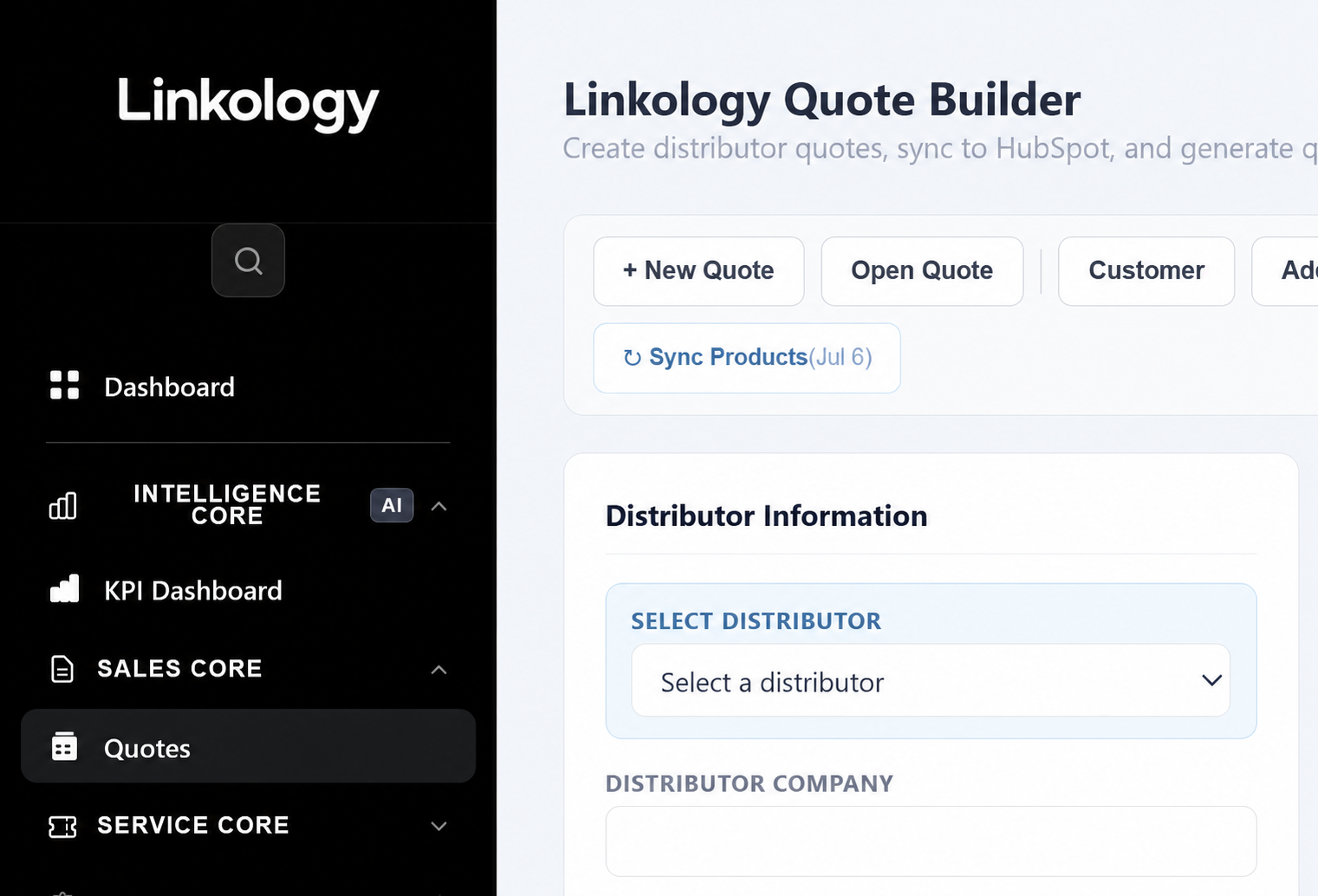
This quote application connects distributor information, customer records, product selection, pricing, revisions, and final documents in one purpose-built workflow.
WHAT THIS MEANS FOR YOU
The interface follows the work—not the other way aroundCUSTOM APP EXAMPLES
These examples use different screens and delivery methods, but each one solves the same problem: important information reaches the right person in a form they can act on.
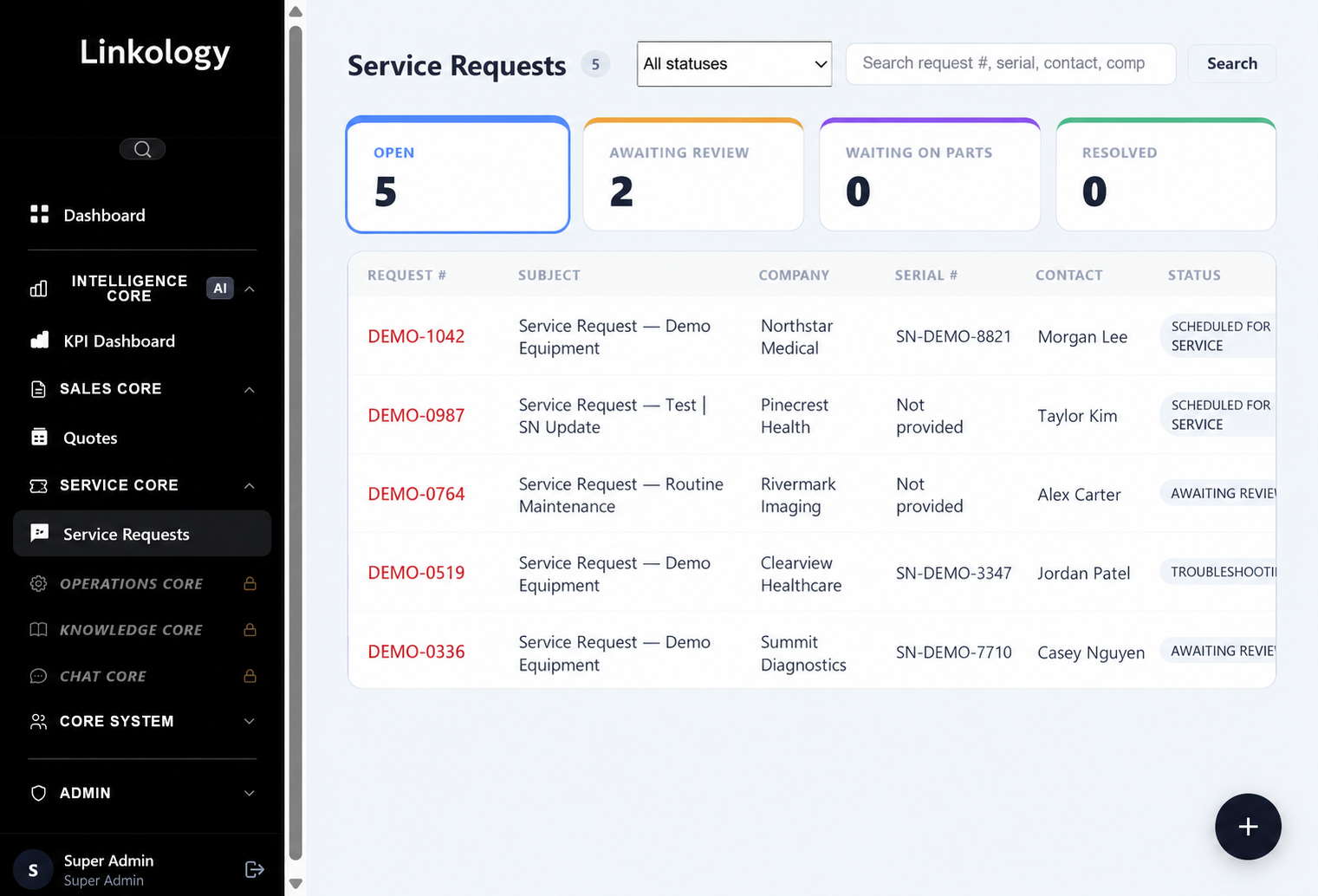
SERVICE REQUEST WORKSPACE
A complete service queue gives the team one place to manage open work, review needs, parts delays, and resolved requests.
Search by request, serial number, contact, or company and filter by status. Every request stays connected to the equipment, customer, owner, and service history.
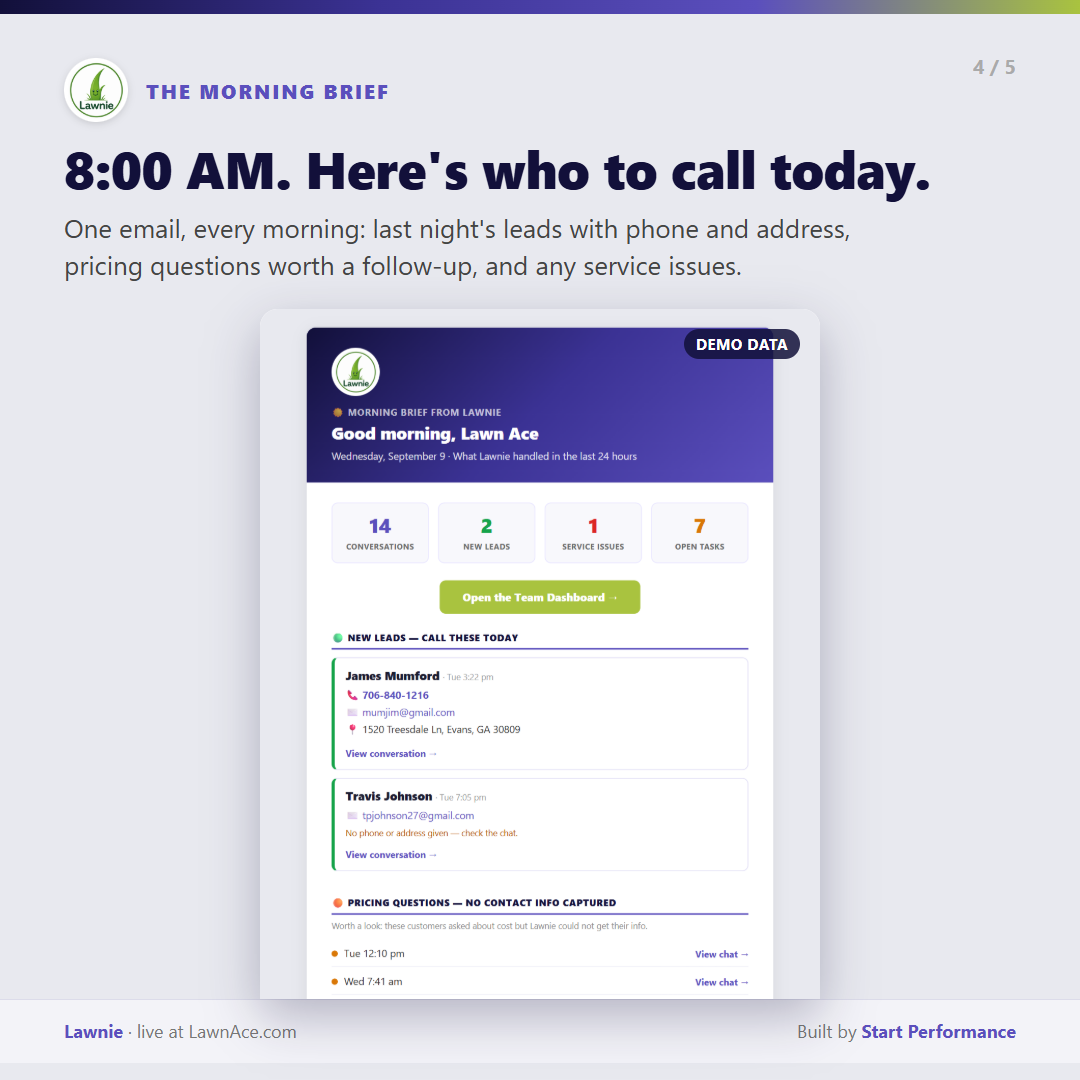
INFORMATION DELIVERED ON TIME
A custom app does not always need another login.
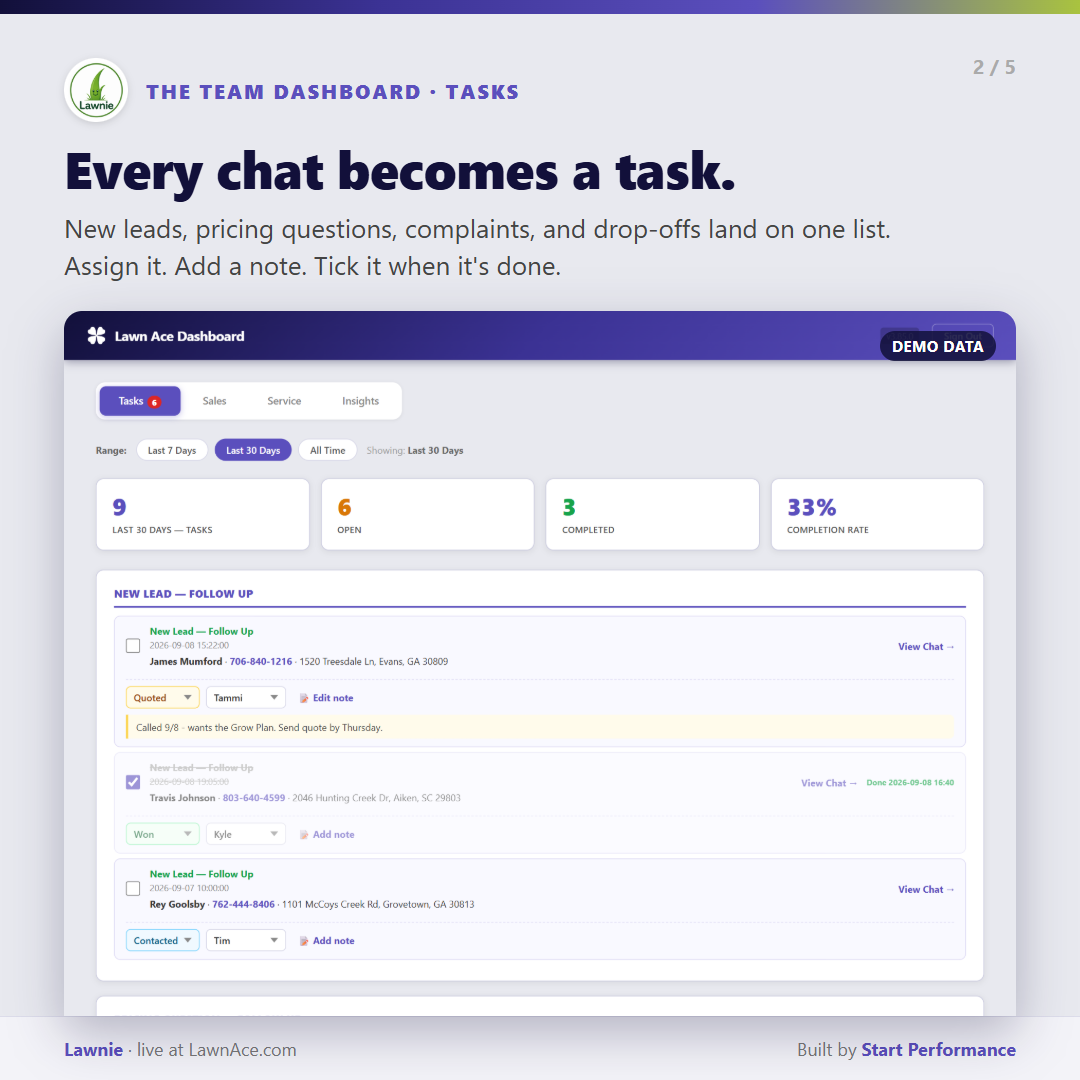
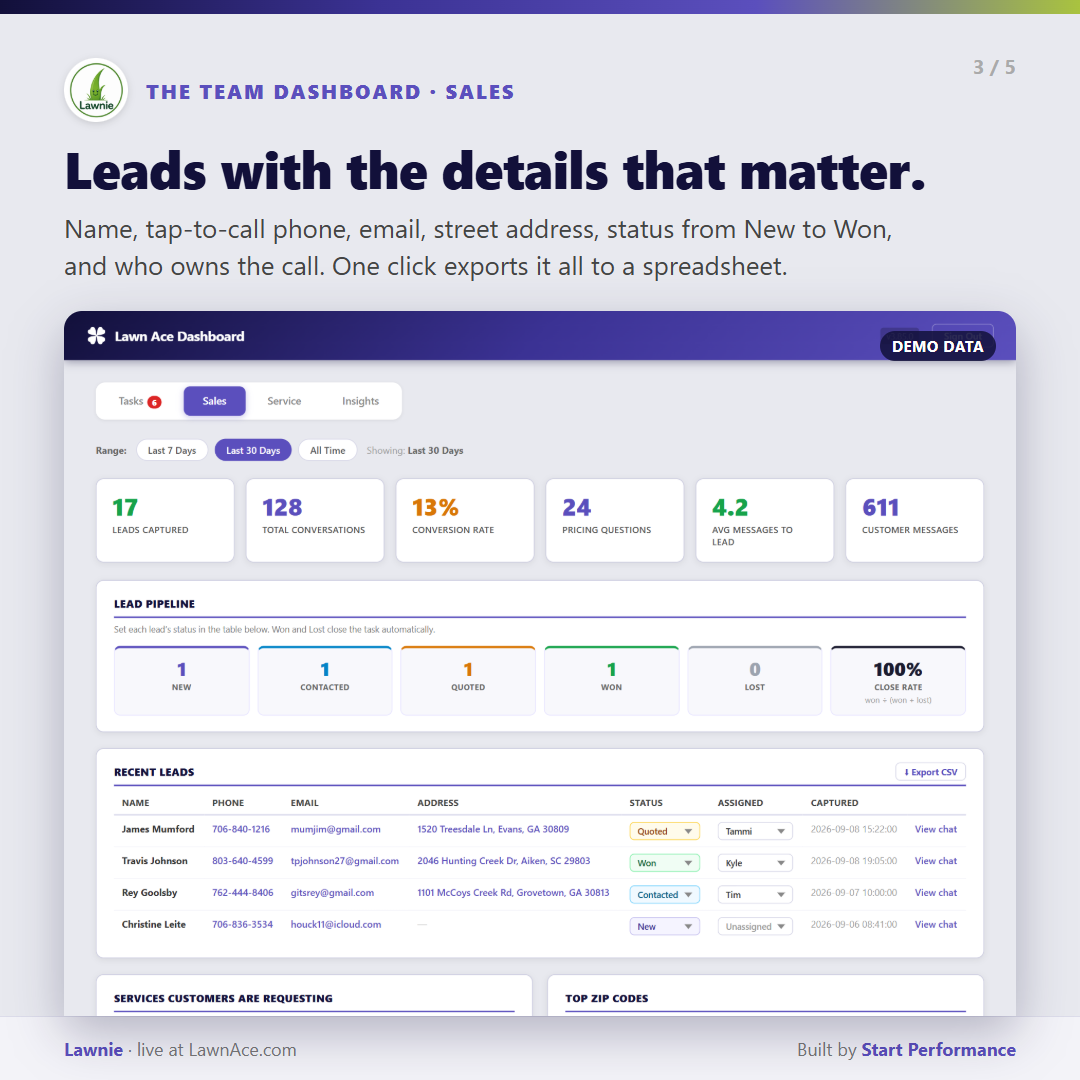
A scheduled brief gives leadership the leads, pricing questions, service issues, and follow-ups that need attention—with direct links to the work.
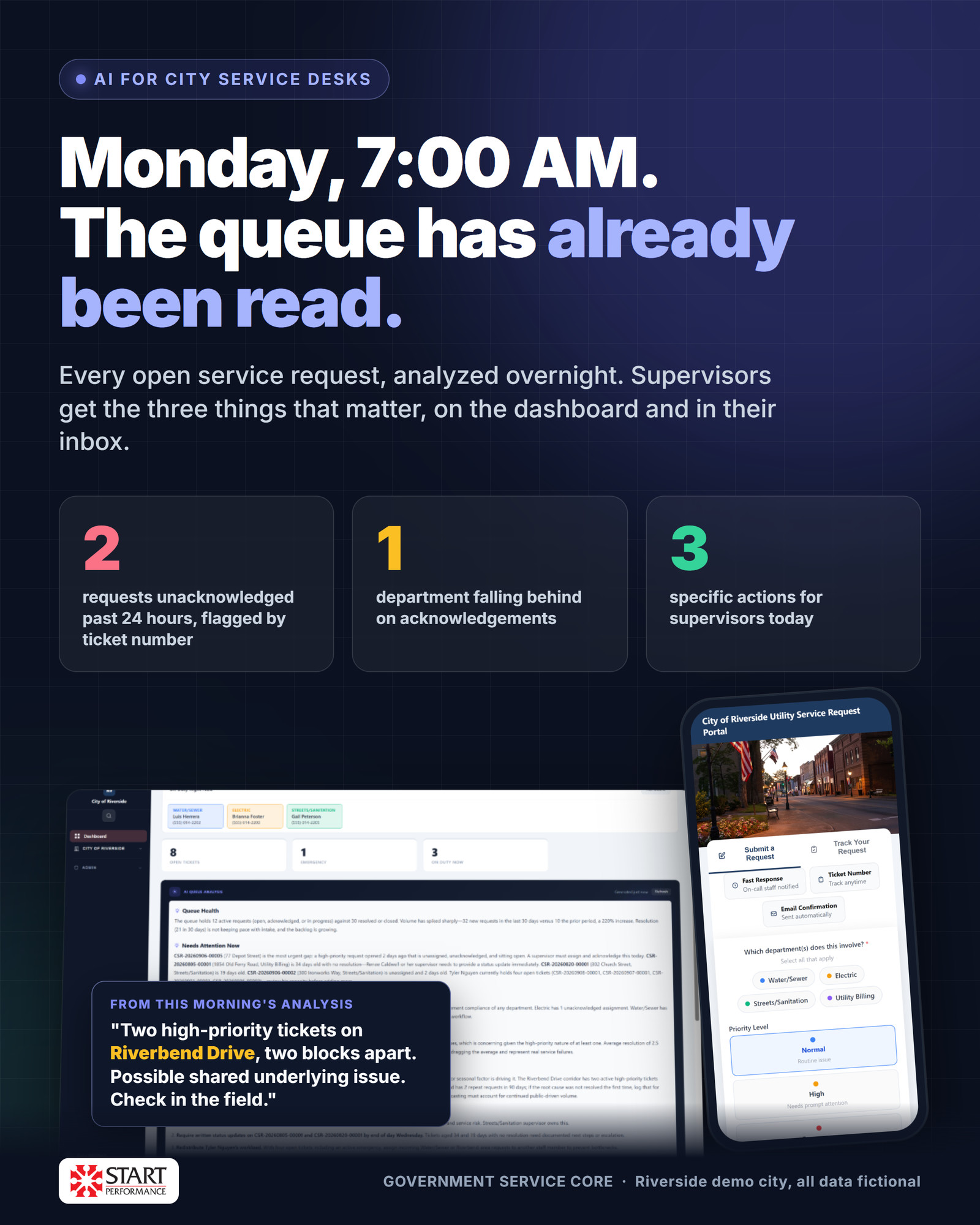
PUBLIC SERVICE WORKFLOWS
Custom applications can connect the public request experience to the internal operating view.
Residents track requests while departments manage ownership, response time, location, and priority. Daily analysis surfaces exceptions before the queue becomes a backlog.
WHAT WE BUILD
The work can live inside Linkology or connect to systems your team already relies on.
Bring KPIs, exceptions, priorities, and underlying records into one role-specific view.
Replace inbox chains and spreadsheet trackers with ownership, status, rules, and history.
Move clean data between CRM, ERP, accounting, service, and internal systems.
Use approved company knowledge to summarize, classify, search, and suggest next actions.
Give outside users secure access to the status, documents, and actions relevant to them.
Preserve valuable business logic while replacing the fragile interface around it.
OUR APPROACH
Custom software succeeds when it reflects the real process and earns adoption from the people using it.
Identify who touches the process, where information enters, and where time or quality breaks down.
Launch the smallest version that improves daily work and captures reliable feedback.
Add automation, reporting, integrations, and adjacent workflows after the foundation proves itself.
BUILD AROUND THE REAL WORK
Show us where people re-enter information, work around the system, or lose the next action. We’ll outline a focused application that fits the process.